 Apex JS
Components
The .alpine single-file component.
No new component model to learn. An .alpine file is just HTML, a server
loader(), and scoped CSS. The same format powers pages and
reusable components.
Anatomy of a file #
A .alpine file has up to three top-level blocks — a <script server>,
one <template>, and any number of <style> blocks. The parser
treats only depth-0 tags as delimiters, so nested <template x-for> /
<template x-if> inside your markup are safe.
pages/index.alpine — the scaffold's home page
<script server lang="ts">
  export function loader() {
    return {
      title: 'Welcome to Apex JS',
      tagline: 'Server-rendered, then hydrated.',
    }
  }
</script>

<template x-data="{ open: false }">
  <main>
    <h1 x-text="title"></h1>
    <p x-text="tagline"></p>
    <button @click="open = !open"
            x-text="open ? 'Hide' : 'Show me how'"></button>
    <div x-show="open" x-transition>
      <p>The loader's data is the x-data scope — no fetch.</p>
    </div>
  </main>
</template>

<style scoped>
  main { max-width: 40rem; margin: 4rem auto; }
  h1 { color: #2563eb; }
</style>
The server block & loader() #
<script server> runs only on the server — its code is textually
excluded from the client bundle. Export a loader() and whatever it returns
becomes the component's Alpine x-data scope, already available in the very first
server-rendered HTML.
<script server lang="ts">
  // runs on the server; return value = the x-data scope
  export function loader({ params }: { params: Record<string, string> }) {
    return { slug: params.slug }
  }
</script>- For a dynamic route, the loader receives
{ params }— the matched[param]segments. - The block must be marked
server(e.g.<script server>).lang="ts"is the default;lang="js"is also accepted. - A file may have one
<script server>block.
The loader's data is serialized (XSS-safe, via devalue) into a state island. Directives like
x-text / x-show / :class are rendered on the server and
self-heal on hydration; x-if / x-for clones are atomically recreated
before paint. You never see a flash of empty content.
The template & x-data #
The single top-level <template> holds ordinary Alpine markup. Put reactive
state in x-data on the root (or omit it — <template x-data> — to
just consume the loader scope). Everything Alpine supports works:
x-text, x-html, x-show, x-if,
x-for, @click, :class, :style, and so on —
evaluated on the server against the loader data, then hydrated in the browser.
Scoped styles #
Add <style scoped> and the CSS is rewritten to apply only to this component's
markup — no leakage, no naming collisions. Omit scoped for global styles.
<style scoped>
  .counter { padding: 0.4rem 0.9rem; border-radius: 0.5rem; cursor: pointer; }
</style>
Embedding components #
Put a component in components/ and embed it by its PascalCase
file name. components/Counter.alpine becomes <Counter />. It is
server-rendered in place and hydrated like everything else.
components/Counter.alpine
<template x-data="{ count: Number(start) }">
  <button class="counter" @click="count++"
          x-text="label + ': ' + count"></button>
</template>

<style scoped>
  .counter { border: 1px solid #2563eb; border-radius: 0.5rem; cursor: pointer; }
</style>
pages/index.alpine — using it twice with props
<template x-data>
  <main>
    <h1 x-text="title"></h1>
    <Counter start="3" label="Clicks" />
    <Counter start="10" label="Score" />
  </main>
</template>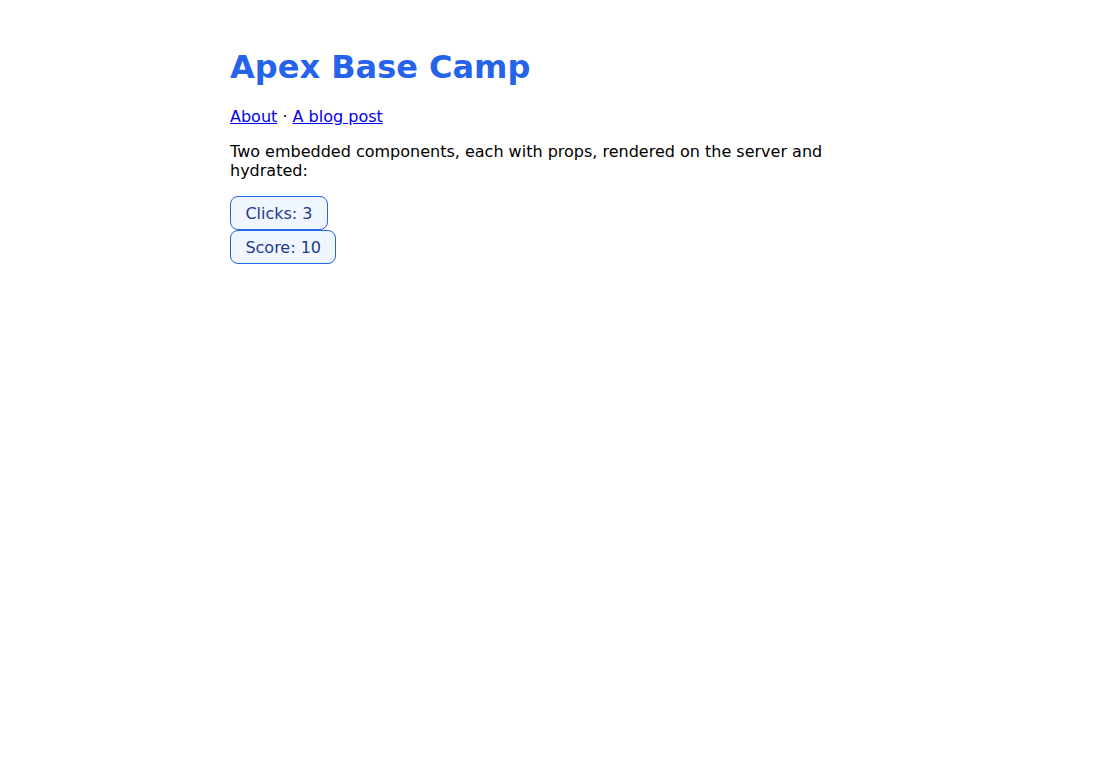
<Counter> instances, each initialized from its own props (from playground/base-camp).Props — static & bound #
Props are attributes on the tag, and they land in the component's x-data scope by
name. In Counter, start="3" is read as Number(start) and
label="Clicks" as label.
- Static props — plain string attributes:
<Counter start="3" />. - Bound props — Alpine-style
:nameexpressions, evaluated against the parent scope:<Counter :start="user.score" />.
The resolved x-data is baked into the server output as a prop-free literal, so each
instance hydrates independently and correctly. Components work as
islands too.
Rules & constraints #
- Only
<script>,<template>, and<style>are allowed at the top level — anything else is a parse error. - Exactly one top-level
<template>; at most one<script server>; any number of<style>blocks. <script>must be markedserver. Client-only<script>blocks and component<script server>loaders/slots are on the roadmap.
x-for / x-if inside an island, and component-level
<script server> loaders + slots, are not in yet — see the roadmap.