 Apex JS
Islands
Ship zero JavaScript until an island needs it.
A page is static HTML. Interactive regions — "islands" — hydrate individually, on a trigger, loading Alpine only at that moment. A fully static page loads Alpine never.
The idea #
Alpine is islands-native by design — it only ever activates x-data roots. Apex
makes that explicit and lazy: mark an interactive region with a client:* directive
and it becomes an island that hydrates on its own trigger. Static content around it stays
pure HTML, 0 KB of framework JS.
The four client:* modes #
<template>
  <h1 x-text="title"></h1>                 <!-- static, 0 KB JS -->

  <section x-data="{ n: 0 }" client:load>    <!-- hydrate immediately -->
    <button @click="n++" x-text="n"></button>
  </section>

  <section x-data="{ n: 0 }" client:visible> <!-- hydrate when scrolled into view -->
    <button @click="n++" x-text="n"></button>
  </section>

  <aside x-data="{}" client:idle> … </aside> <!-- hydrate when the browser is idle -->
  <div x-data="{}" client:none> … </div>   <!-- SSR only, never ships JS -->
</template>
When to use each #
| Mode | Hydrates | Use it for |
|---|---|---|
client:load | immediately on page load | Above-the-fold interactivity a user hits right away (a primary form, nav toggle). |
client:idle | when the browser goes idle | Non-urgent widgets that can wait for the main work to settle. |
client:visible | when scrolled into view | Below-the-fold interactivity — pay for JS only if the user reaches it. |
client:none | never — SSR only | Render server state as inert HTML; the markup is there but no JS ships or runs. |
A real example #
playground/islands is a static header plus a client:none island and a
below-the-fold client:visible island:
<template>
  <header>
    <h1 x-text="title"></h1>
    <p>Server-rendered. No JavaScript hydrates this.</p>
  </header>

  <<!-- rendered on the server, never ships or runs JS -->
  <section x-data="{ n: 0 }" client:none>
    <button @click="n++" x-text="'count: ' + n"></button>
  </section>

  <<!-- hydrates only when scrolled into view -->
  <section x-data="{ n: 0 }" client:visible>
    <button @click="n++" x-text="'count: ' + n"></button>
  </section>
</template>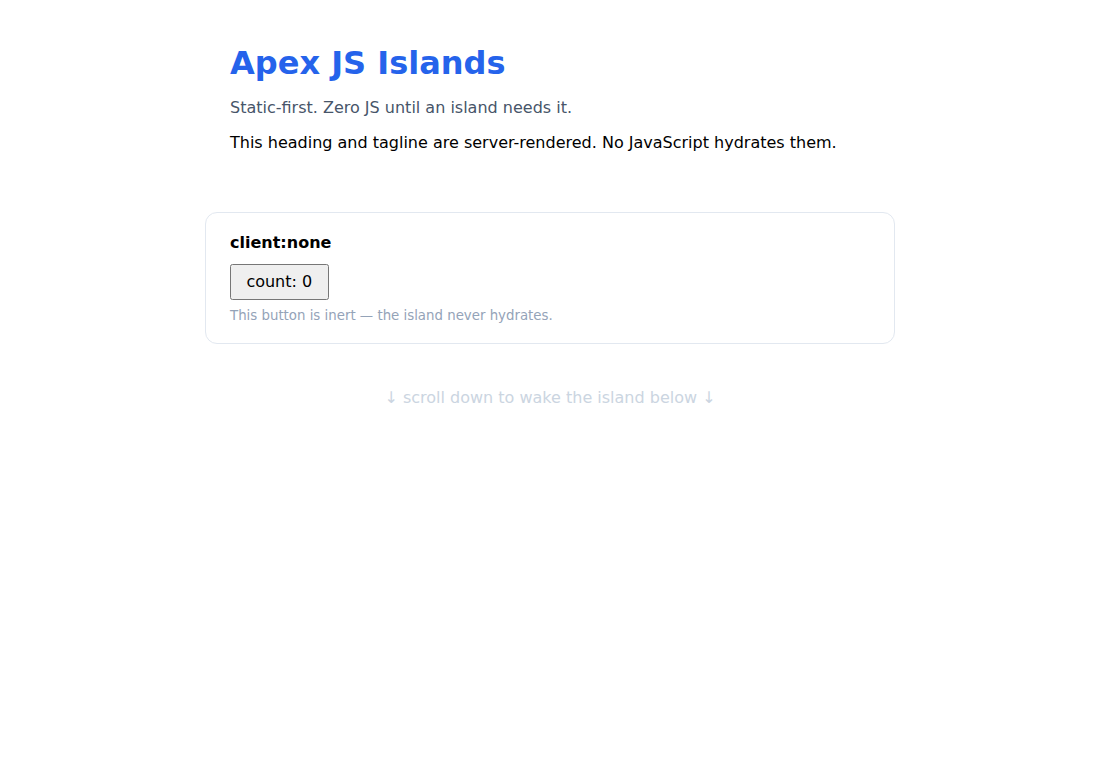
How it works #
- SSR — the whole page renders on the server (static HTML and island subtrees, evaluated against loader data). Each
client:*element is markeddata-apex-island+data-apex-client="<mode>"andx-ignored so global Alpine never auto-hydrates it. - Lazy loader — a tiny inline script (shipped only if the page has hydrating islands) wires up each island's trigger. Alpine is
import()ed lazily on the first island that actually needs it. Aclient:none-only or fully static page loads Alpine never. - Per-island hydration — on trigger, Apex clears that island's
x-ignoreand callsAlpine.initTree()on just that element.
Verified end-to-end with Playwright: zero Alpine JS is requested on load; scrolling a
client:visible island into view loads Alpine and makes it interactive; a
client:none button stays inert.
Turning it on #
apex dev --islands      # dev, static-first
apex build --islands    # zero-JS static site (SSG)
x-for / x-if inside an island, component-file islands
(<Counter client:visible />), and islands-as-automatic-per-page (instead of a
dev flag) are on the roadmap.